Responsive Design and RESS
Dual-layer responsiveness: display-level adaptability combined with server-side platform detection.
Platform → UI Technology→ Clients | WebAssembly | Symbols | Drawing | Responsive | Layouts
Two-Layer Responsive Architecture
ProView DS implements responsiveness at two distinct levels: display-level resize behavior (how content adapts within a display) and server-side responsive selection (RESS - which displays are delivered to each platform).
This dual approach enables true "build once, run everywhere" capability while optimizing for each device class.
Overview
Display Responsiveness
Both dashboards and canvas displays have customizable responsiveness. They can stretch proportionately to the client area, maintaining the spatial relationship of objects, or reposition objects internally.
The configuration of this behavior is defined at the Display-Level using the OnResize property of the displays.
Responsive Design & RESS
Responsive Design + Server-Side Components (RESS) delivers optimal user experience across all devices.
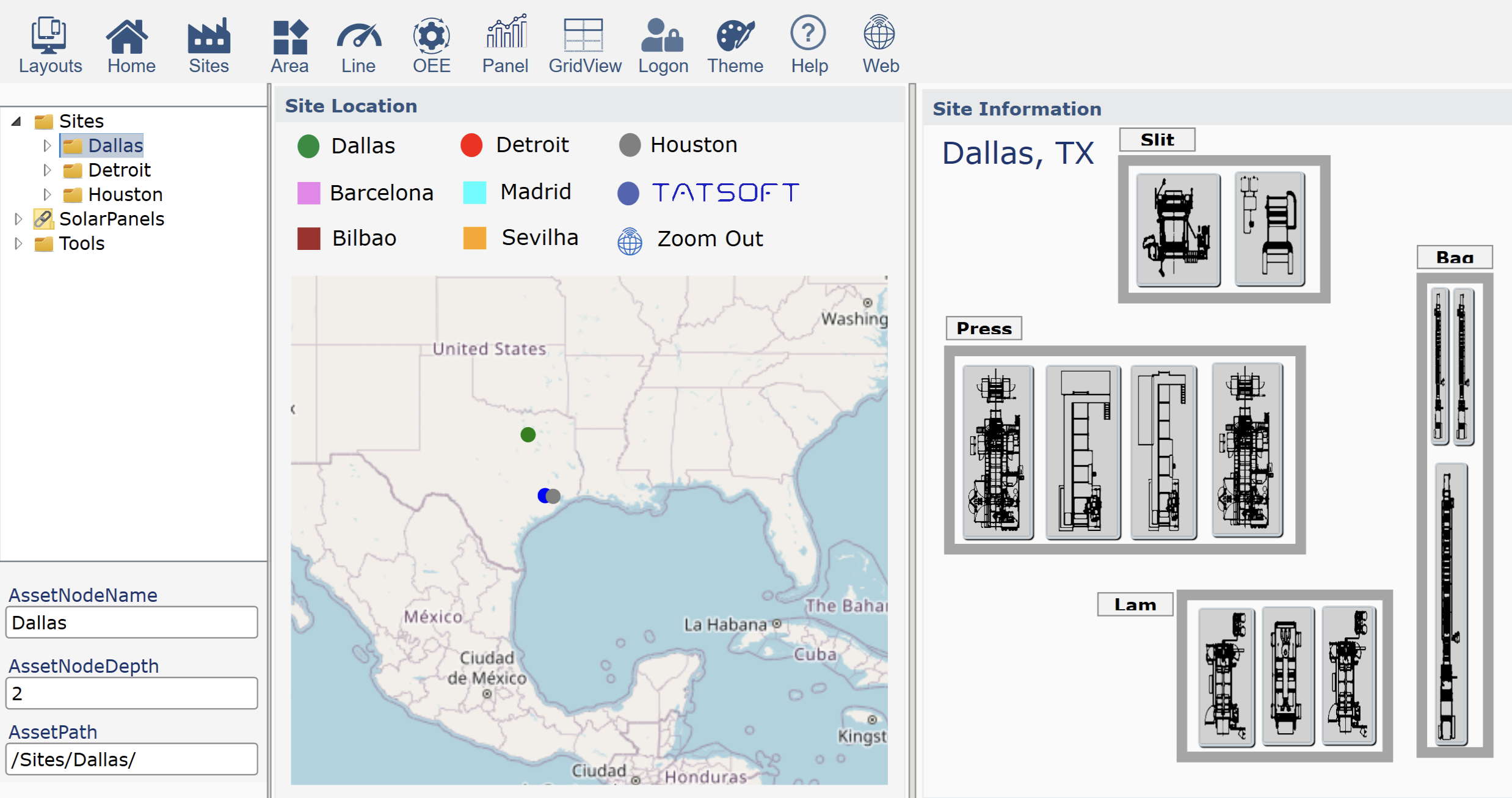
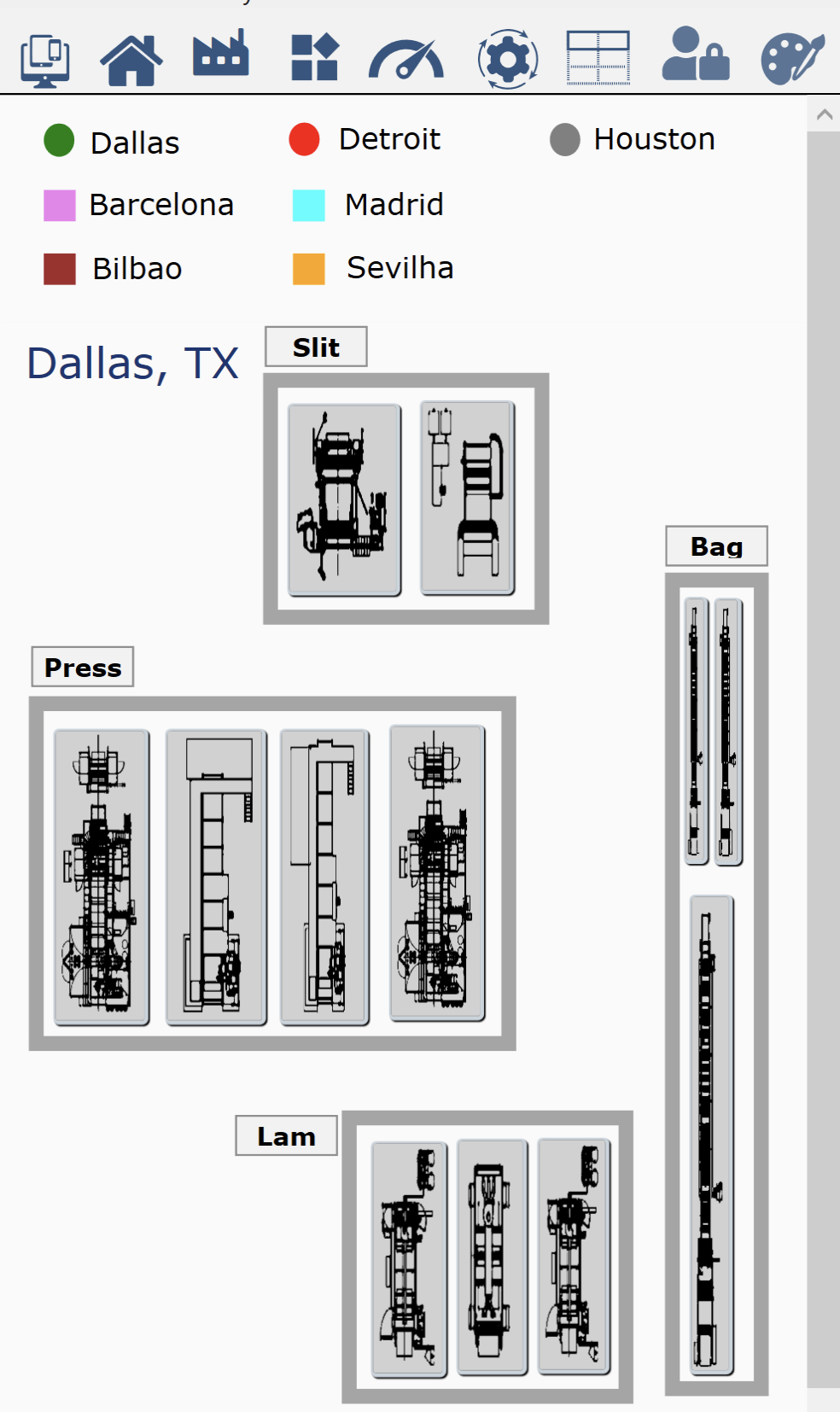
The configuration of this behavior is implemented at the Layout-Level; the internal displays remain the same:
- Build-once: Share display configurations across multiple device types
- Run everywhere: Identifies the client device and delivers content with the proper layout
Server Side Layouts
Display-Level Responsiveness (OnResize)
Every display—whether created with Canvas or Dashboard drawing tools—has configurable resize behavior through the
OnResize property:
| StretchUniform | Scales maintaining aspect ratio | Complex diagrams, P&IDs | Canvas (default) |
| StretchFill | Fills space, may distort | Backgrounds, simple graphics | Rare |
| Responsive | Elements reposition/resize individually | Data displays, forms | Dashboard (default) |
| ResizeChildren | All elements scale proportionally | Maintain exact layout | Canvas alternative |
| NoAction | Fixed size, may clip | Fixed-size panels | Special case |
Important: Canvas vs Dashboard is about the drawing method, not responsiveness. A Canvas display can be responsive, and a Dashboard display can use StretchUniform. The drawing tool determines how you position objects during design; OnResize determines runtime behavior.
Responsive Canvas
When a Canvas display uses OnResize="Responsive", individual elements can be configured to:
- Maintain fixed margins from edges
- Scale width/height proportionally
- Anchor to specific sides
- Combine fixed and proportional sizing
Example: A sidebar that maintains fixed width while content area expands.
Dashboard Responsiveness
Dashboard displays inherently support grid-based responsiveness:
- Grid cells redistribute based on available space
- Content within cells follows cell boundaries
- Automatic conversion to vertical stack on mobile portrait
Defaults:
- Canvas displays default to StretchUniform - preserving diagram integrity
- Dashboard displays default to Responsive - adapting to screen size
Server-Side Responsive (RESS)
RESS (Responsive + Server-Side) adds intelligence before content delivery. The server identifies the client type and sends optimized content.
Responsive Design + Server-Side Components (RESS) delivers optimal user experience across all devices:
- Build-once: Share display configurations across multiple device types
- Run everywhere: Identifies the client device and delivers content with the proper layout
- Server Detection: Identifies device class (phone, tablet, desktop)
- Optimized Delivery: Sends appropriate content and resources
- Responsive Behavior: Maintains flexibility within device class
- Reduced Engineering Time: All displays are shared by all layouts
- Result: Fast loading with adaptive layouts
Client Detection
| Desktop Native | WPF client signature | Full interface, all regions |
| Desktop Web | Browser user agent | Full interface, web-optimized |
| Tablet | Screen size + touch | Simplified menu, touch controls |
| Mobile Portrait | Aspect ratio + size | Single column, essential only |
| Mobile Landscape | Aspect ratio + size | Adapted layout, larger controls |
RESS Benefits
- Reduced bandwidth - Only necessary resources sent
- Faster loading - Optimized content for device
- Better UX - Platform-appropriate interfaces
- Single source - One configuration, multiple outputs
How Layers Work Together
The two responsive layers complement each other:
- Server decides WHAT - Which layout and displays to send
- Display decides HOW - How content adapts to screen changes
Example Workflow
| 1. Client connects | Identifies as WPF client | Identifies as mobile browser |
| 2. Server selects | Full layout with all regions | Mobile layout, header+content only |
| 3. Display loads | P&ID with StretchUniform | Simplified dashboard, Responsive |
| 4. User resizes | Maintains aspect ratio | Reflows to new orientation |
Configuration Points
Display Level (OnResize)
Set in Display properties during design:
- Choose resize mode per display
- Configure responsive anchoring for Canvas
- Test with preview at different sizes
Server Level (RESS)
Configure in Layouts:
- Assign platform-specific displays
- Define fallback options
- Set region visibility per platform
Details in .
Design Strategies
Progressive Enhancement
- Design for smallest screen first (mobile)
- Add complexity for larger screens
- Use RESS to deliver appropriate version
- Let OnResize handle minor adjustments
Graceful Degradation
- Create full-featured desktop version
- Define simplified mobile alternatives
- RESS automatically selects based on client
- OnResize maintains usability during transitions
Best Practices
| Complex P&ID diagram | Canvas with StretchUniform, desktop-only via RESS |
| KPI dashboard | Dashboard with Responsive, shared across platforms |
| Data entry form | Dashboard with Responsive, simplified mobile version |
| Equipment mimic | Canvas with ResizeChildren, tablet/desktop only |
| Status overview | Dashboard with Responsive, all platforms |